Exporting and Importing Rules in Microsoft Outlook
Many tasks in Microsoft Outlook can be automated using rules. If you want to transfer the rules you've created to another mailbox or between different Outlook versions, you can do this by exporting and importing the rules.
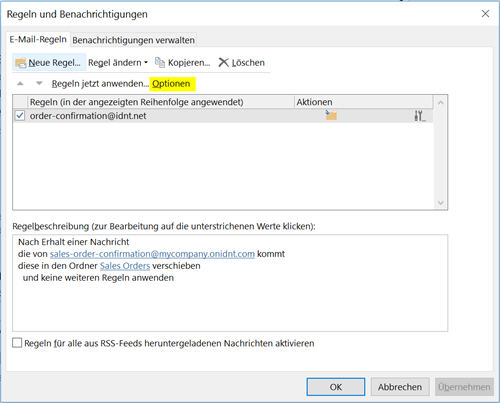
Select "File" and "Manage Rules & Alerts".
Select "Options":
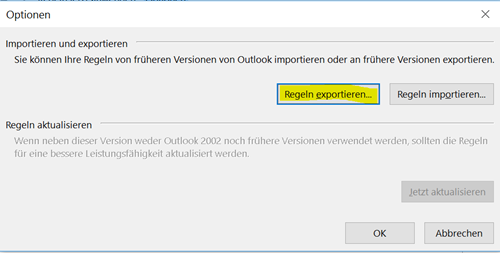
Wählen Sie nun "Regeln exportieren...":
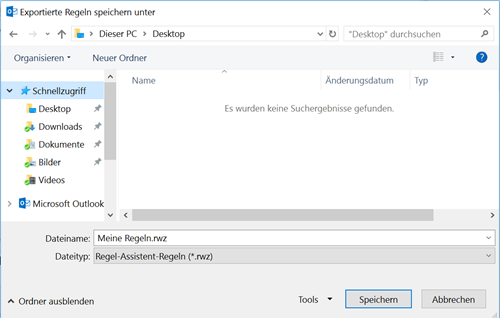
Wählen Sie den Speicherort und geben Sie den Regeln einen Namen:
Um die Regeln in einem anderen Outlook zu importieren, verfahren Sie identisch. Wählen Sie anstelle "Regeln exportieren..." dann "Regeln importieren..."